Informal Experiments with LLM's
Informal experiments. Building features with LLM's.
Informal experiments. Building features with LLM's.
An informal post documenting experiments with LLM's and vibe coding. Mostly tool customizations built by Claude/Fable/Opus and designed to operate (once built) over local models.
This is more of a notebook than anything, so feel free to skip this one if you like.
I've now tried building out several MCP's for tools that didn't have one, but had a CLI or a well documented API. This one is hard to screenshot, since an MCP isn't very visual, so instead i'll throw down some notes on how this has been.
Difficulty - Generally, very easy. All you need is public documentation, any decent LLM and a valid API key, just throw it all into Claude and ask it to build you an MCP. Requires almost zero knowledge of how MCP should be structured or how it works.
Caveats - Many. Though the MCPs generally "work" fine in the pure sense. There are many caveats that need to be modified as you go if you entirely vibe coded it. There often ends up being too many tools for your use case, or too many tools that lack good descriptions of how/when to use them. The tools are functional, but often end up being called at the wrong times by the LLM, leading to wasted API tokens and rabbit holes.
Workarounds - Also many. I often now add MCP tools one-by-one as they're needed for my use cases. So I know exactly what the MCP contains, and exactly what API's it's using. This also gives me the chance to review API/Tool results in more detail, adding helpers that remove data that i'm unlikely to need, and that just end up eating context.
Briefly experimented with adding an MCP server to DnSpy so that I could drive it remotely from a local model. Worked by handing the source code over to Fable, speccing out some tools, and having Fable handle most of the work.
This one was minimal effort from my end and ended up working almost perfectly from the start.

Other Notes
Experimented with adding LLM assistant features to a locally running copy of URLScan. I wanted a reasonably frictionless AI assistant within the traditional web interface that could run queries for me in the background and minimise the need to go down "rabbit holes".
This was primarily done by passing saved copies of the URLScan webpages (literally a CTRL+S in any browser) and giving them to Claude/Fable/Opus. This was a relatively simple task given that most URLScan data is already accessible over API and an MCP I had already built. So all fable had to do was route the queries and add the UI elements to the webpages.
Once the pages were built out, the pages could be served over a local python server, accessed locally, with all "analysis" being routed to a DGX spark running GLM5.3-flash, and all relevant "data" being pulled via the API.
What follows are very rough mockups, though each was fully functioning and proved the concept worked.
The first feature was an auto summarization of search results. The key intent here was to see if it was possible to "skip" the often tiring process of having to manually review each search result to determine if any are "interesting", and if any are just junk in the form of failed scans or "dead" pages.
This feature worked by obtaining the scan-ids of each of the first 10 results returned from a search, then pulling the results for each scan-id and having them summarised/reviewed by the local model. Once each result was summarised, they were sent (all together) back to the local model to generate a summary.
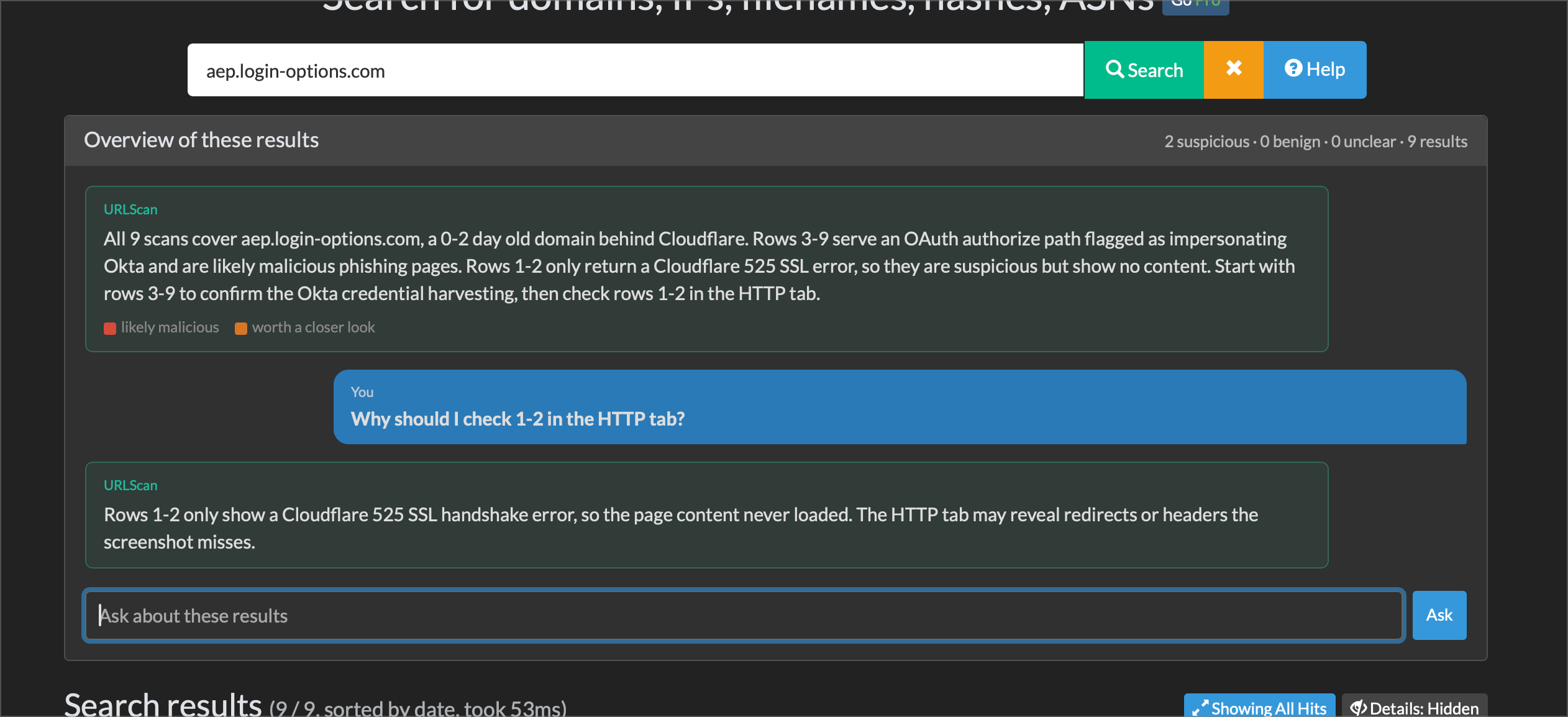
There were some interesting challenges here. Particularly around how to format the analysis (LLM's like to write VERY verbosely), though typical results looked something like this. Note that a secondary element of this, was that all initial summaries and scan data were "stored" whilst the page was active, so that the user could ask questions about them and get clear explanations of any assessments made.
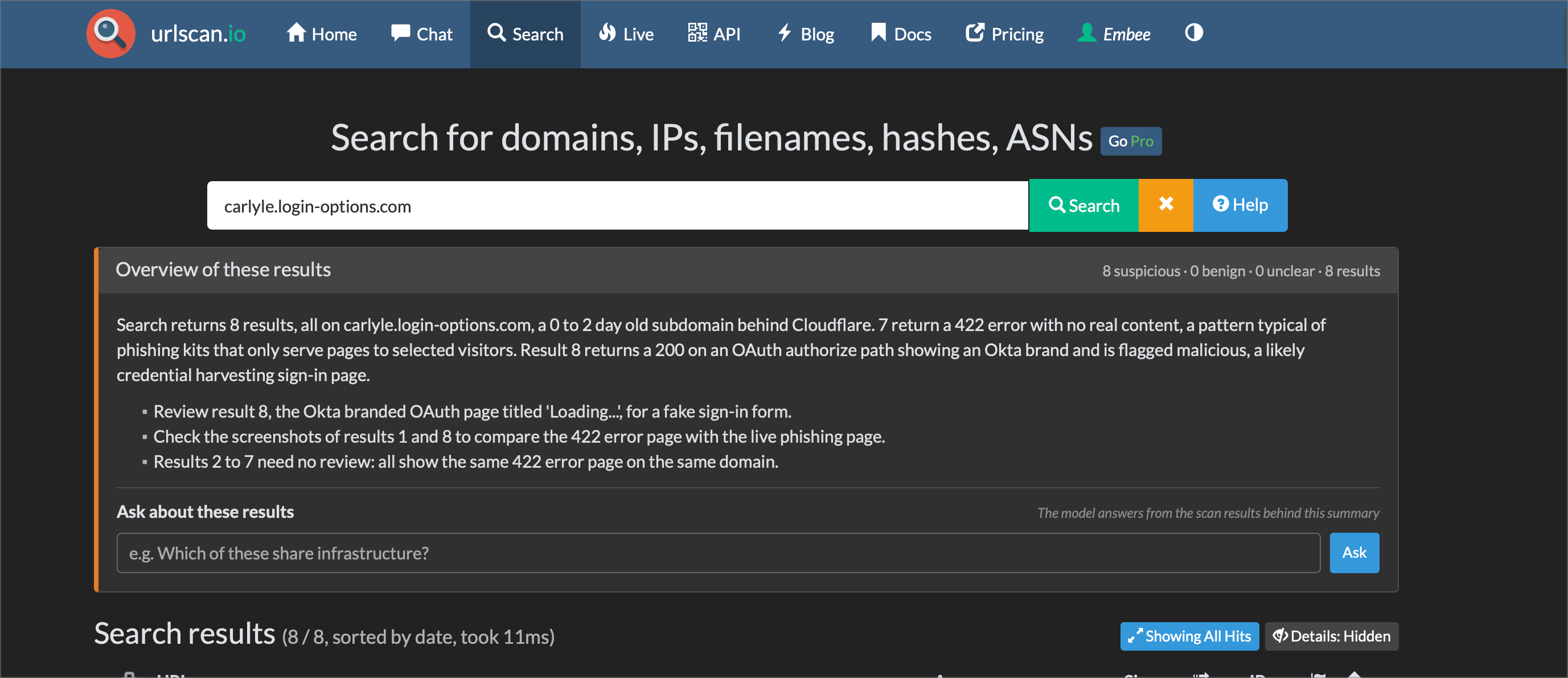
This eventually went through some formatting changes and was changed to be more "conversational" in nature. Though this is all still a work in progress.
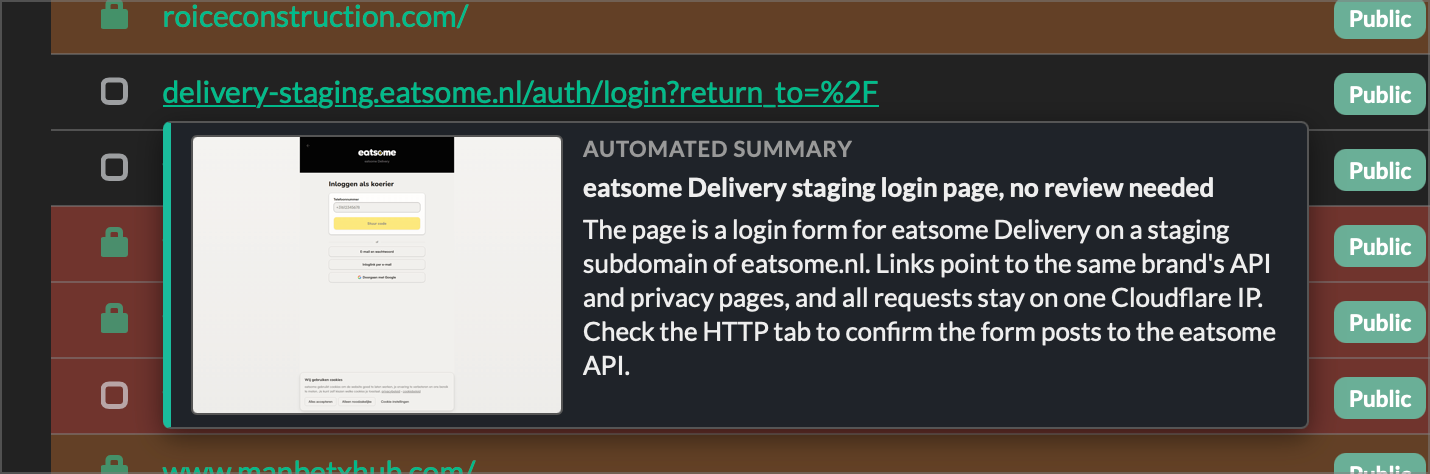
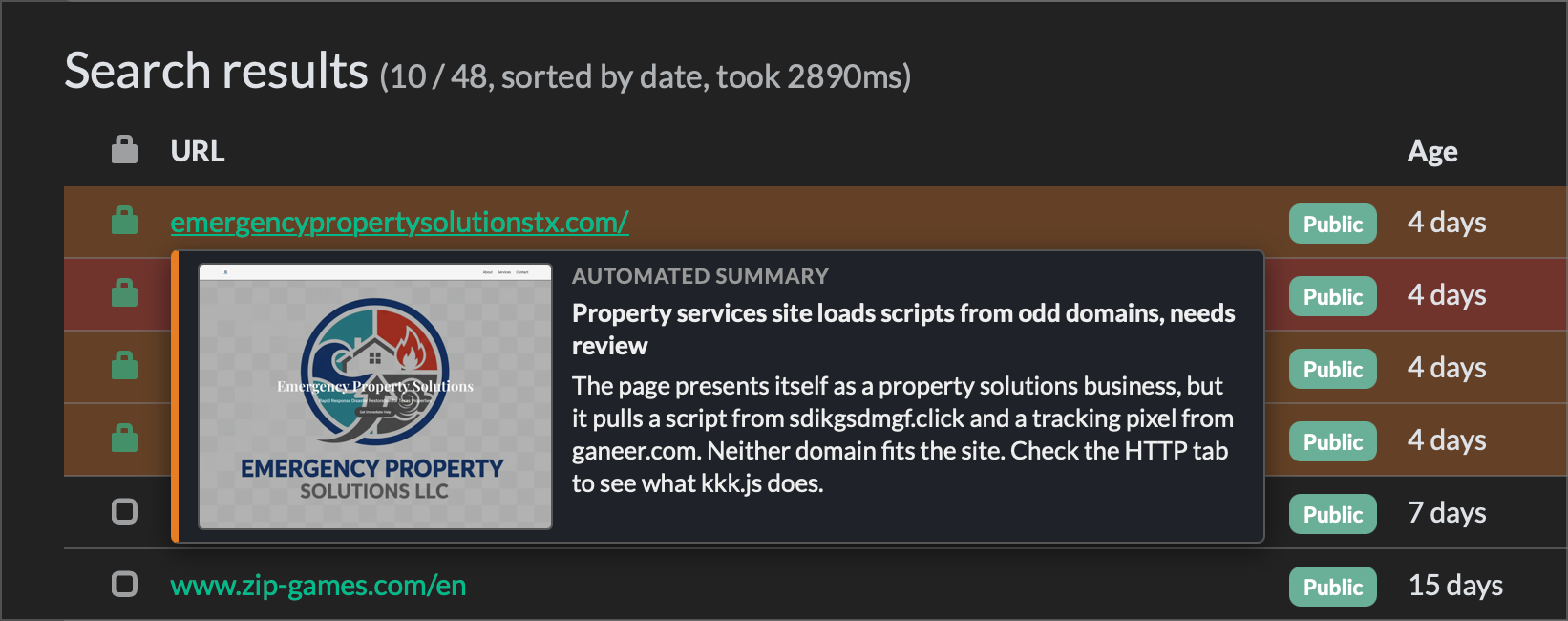
A side effect of having the individual scan results summarised upon each scan, was that each individual result now had an analysis sitting in memory. So another experiment was to see if this could be displayed as a small hover menu/box when hovering over an individual result.
There were some challenges here around exactly how to format it, with dot points ultimately being what I landed on. And the final results looking relatively similar to what is below.
Note that screenshots were also pulled (via URLScan api) and rendered in the hover menu. Saving the user from having to click and open up an entire result to see for themselves.
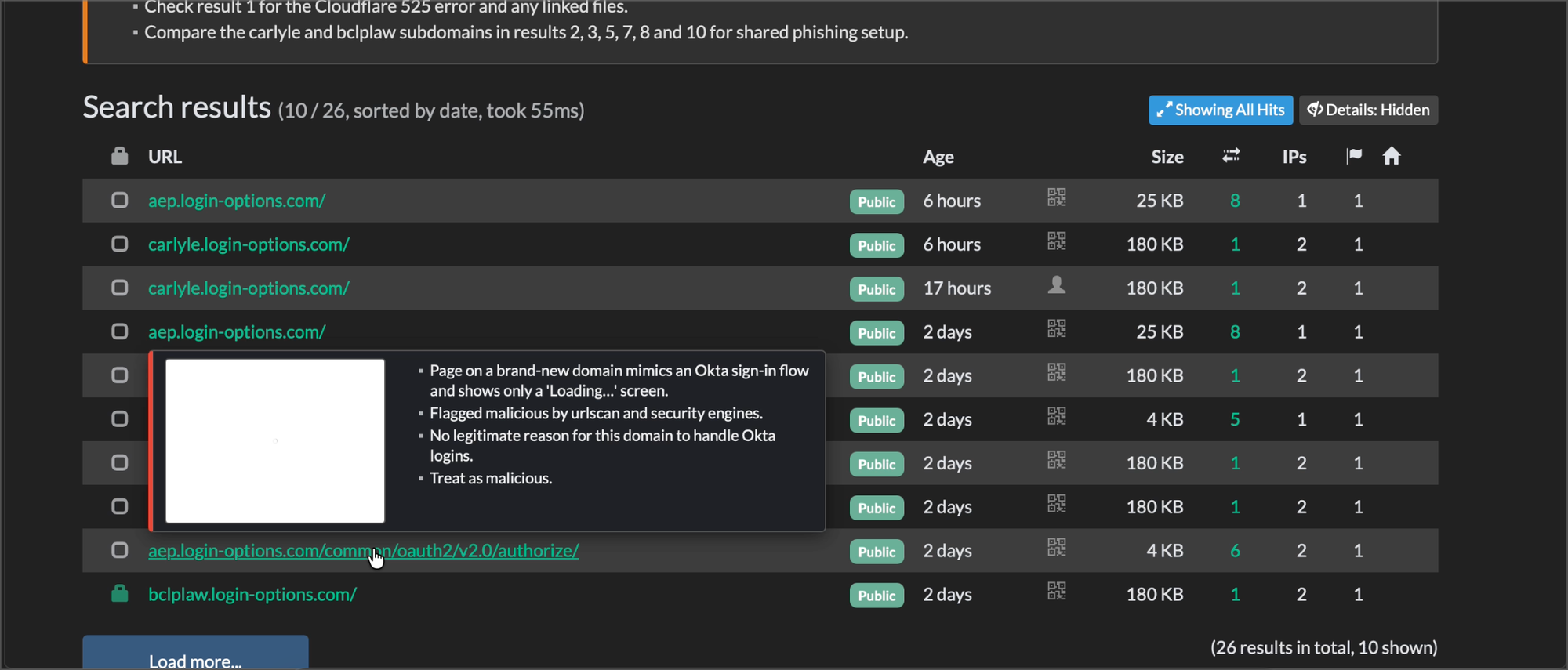
There were various iterations of what this menu should look like.
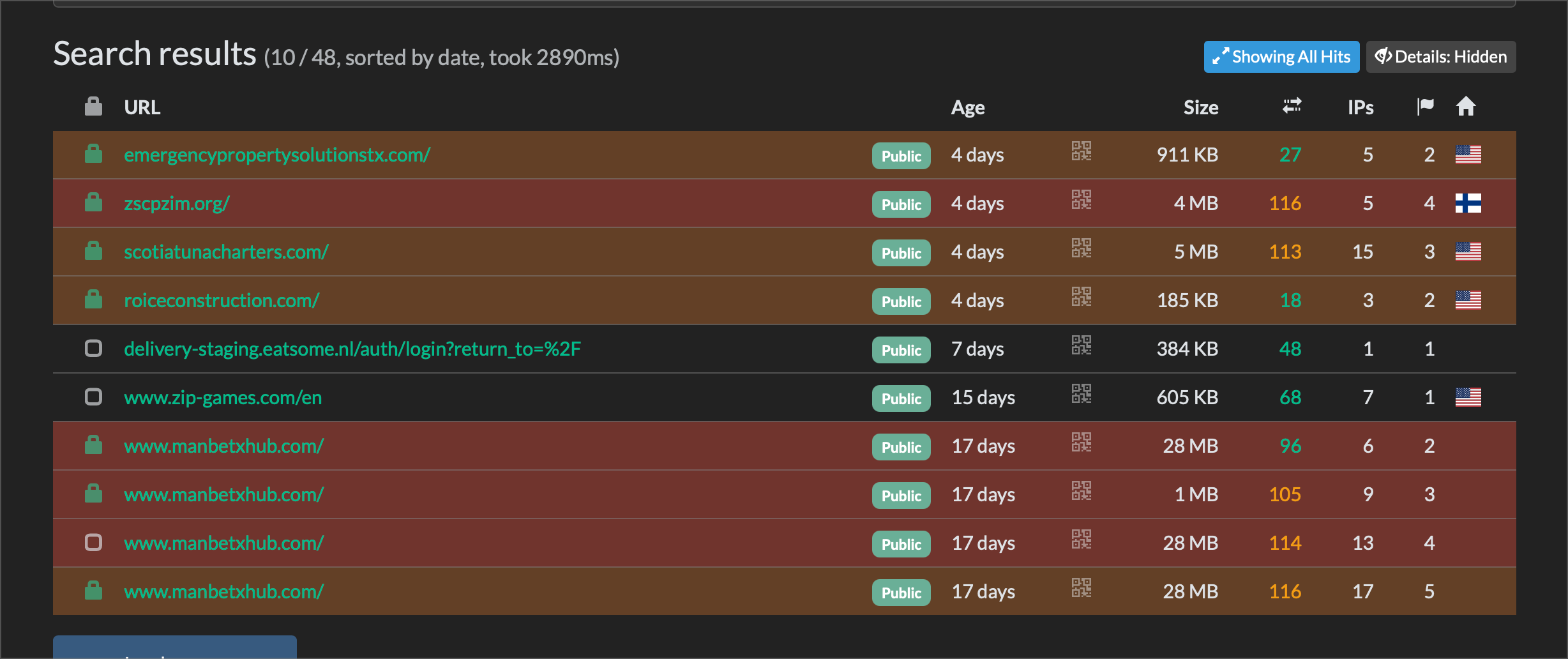
Another small experiment was to see if search results could be "highlighted" to steer the user towards only the most interesting results. The LLM could tag each individual scan (by reviewing the scan content) as either red (high risk), orange (moderate risk) and none (low risk).
The idea here was again to save the user from having to click every result individually to work out which ones are "bad".
URLScan shows all files loaded/referenced by a page upon scan, and this page can often contain dozens of individual files with no clear indication of which ones are most worth looking at, or which ones should be prioritized.
So another experiment was to see if "interesting" files could be moved up to the top and highlighted within the page. The same concept of hover menus was applied here as well, so the user could see if a file was common/uncommon and whether the name was unusual.
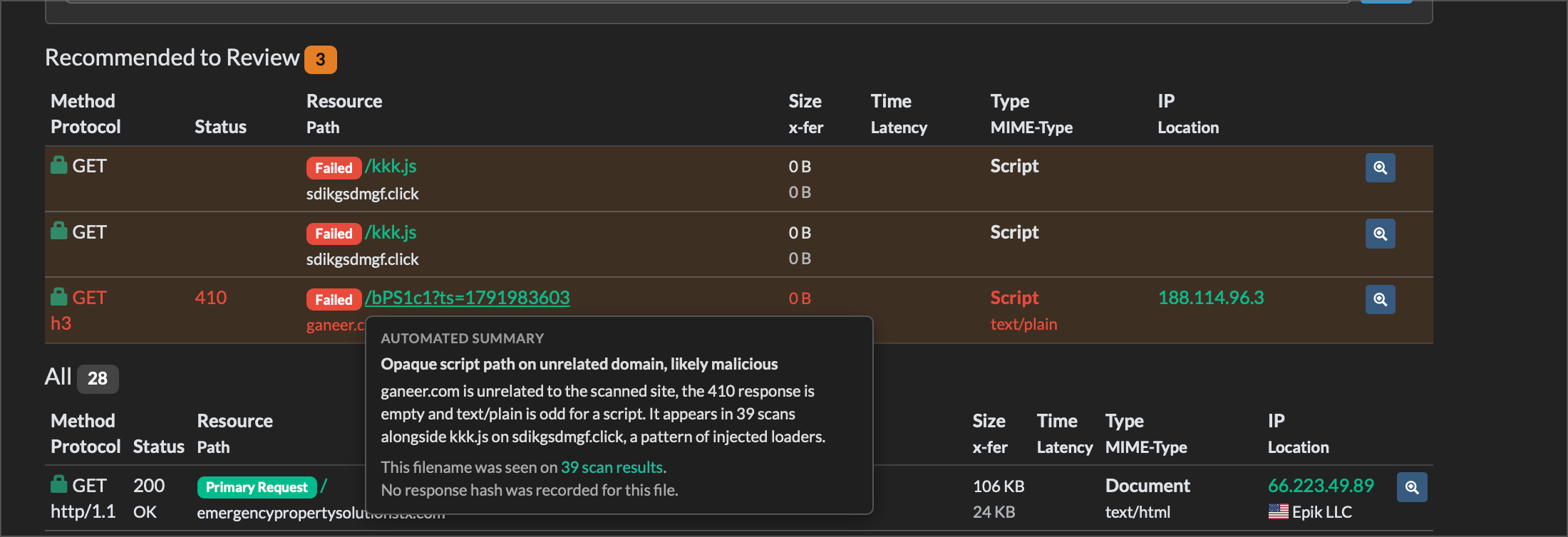
There were again various iterations of this and work is still ongoing.
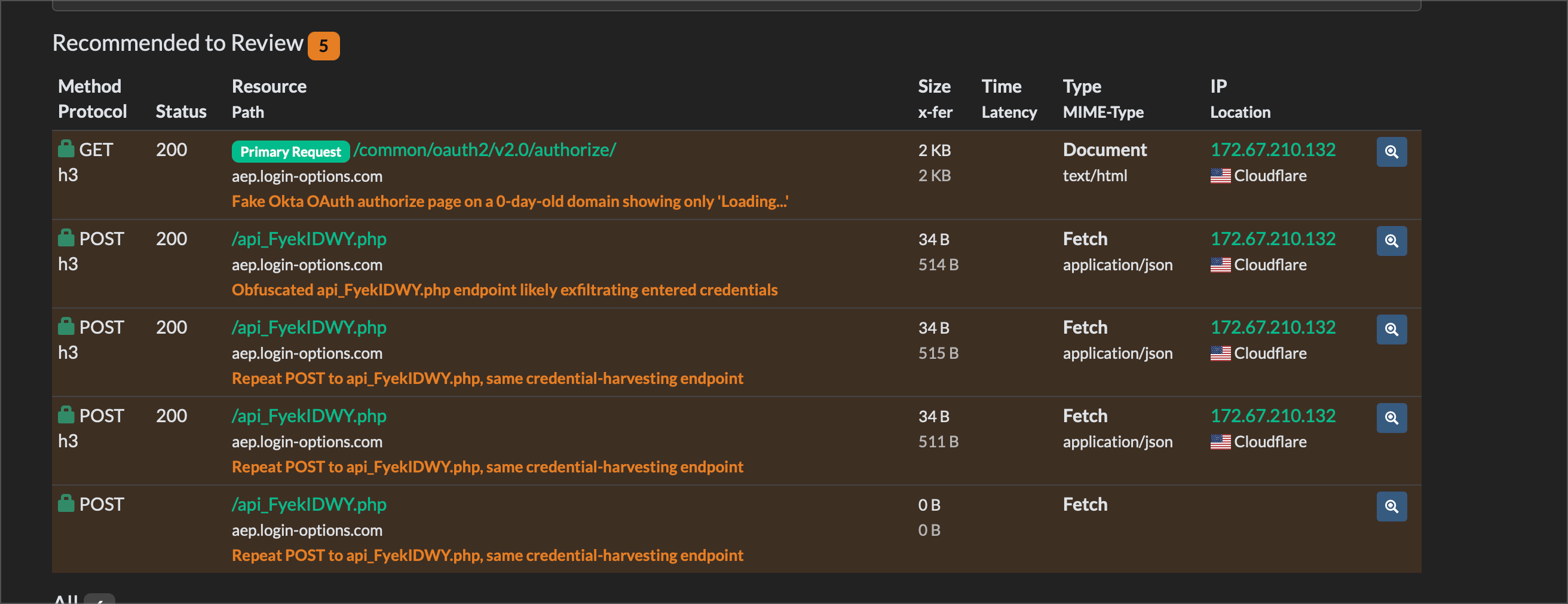
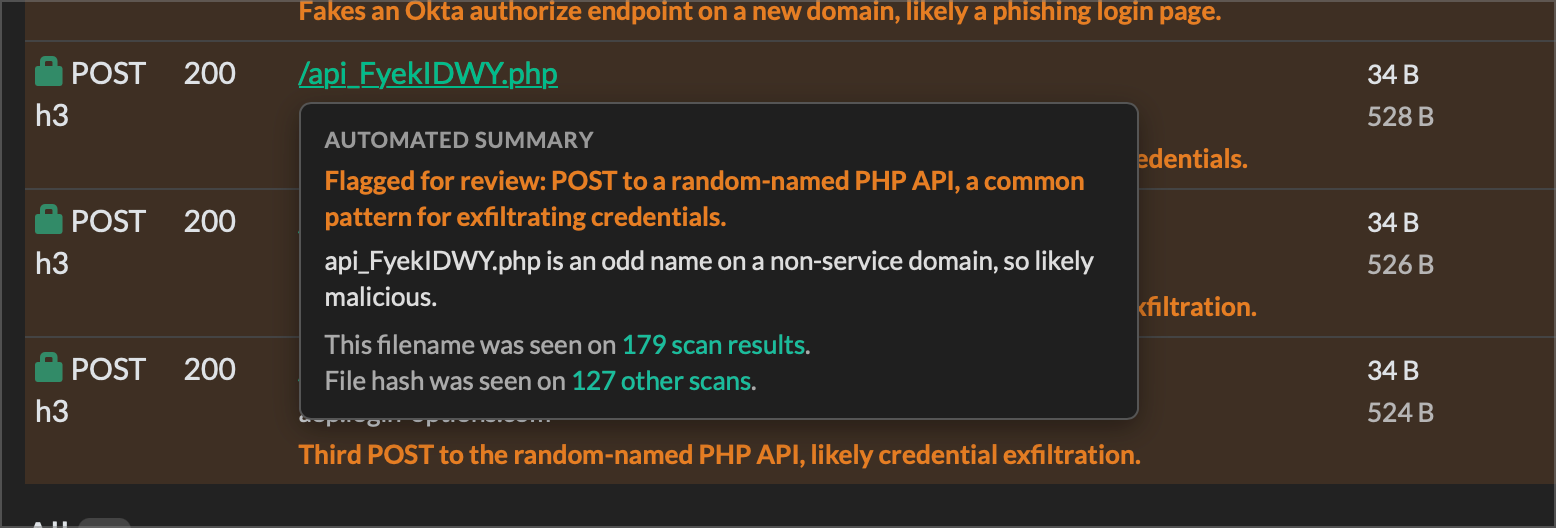
Below we can see that the files (both name and hash) are searched transparently in the background and included in the hover summary. So a user does not need to run both searches manually to find out their prevalence. Searches were only executed upon hover, and usually returned within a few seconds, so the concern of eating up too many API credits by pre-processing dozens of files was not an issue.
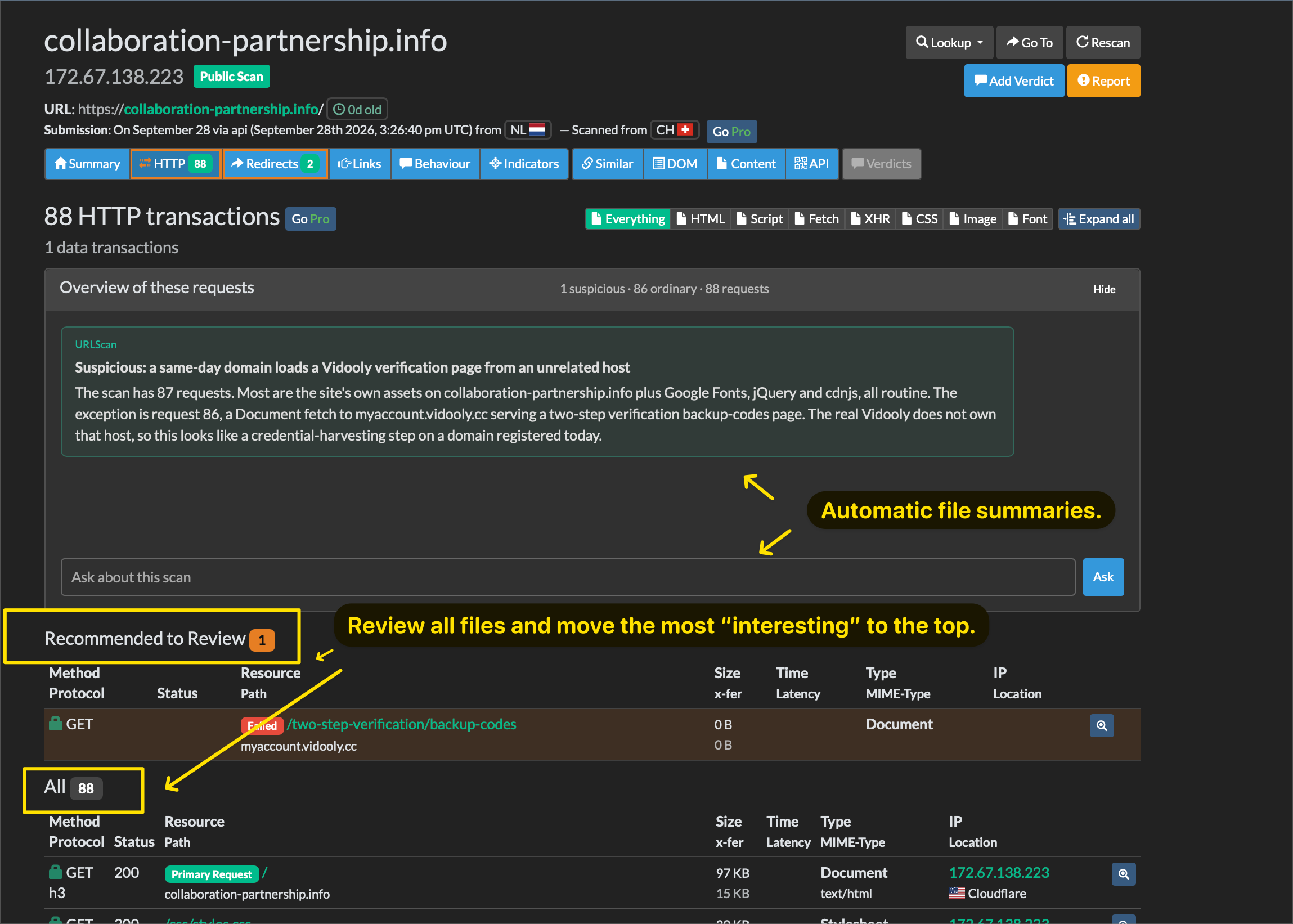
Eventually a chat function was also experimented with. So that a user could ask questions about the summary and dive into more details within natural language.
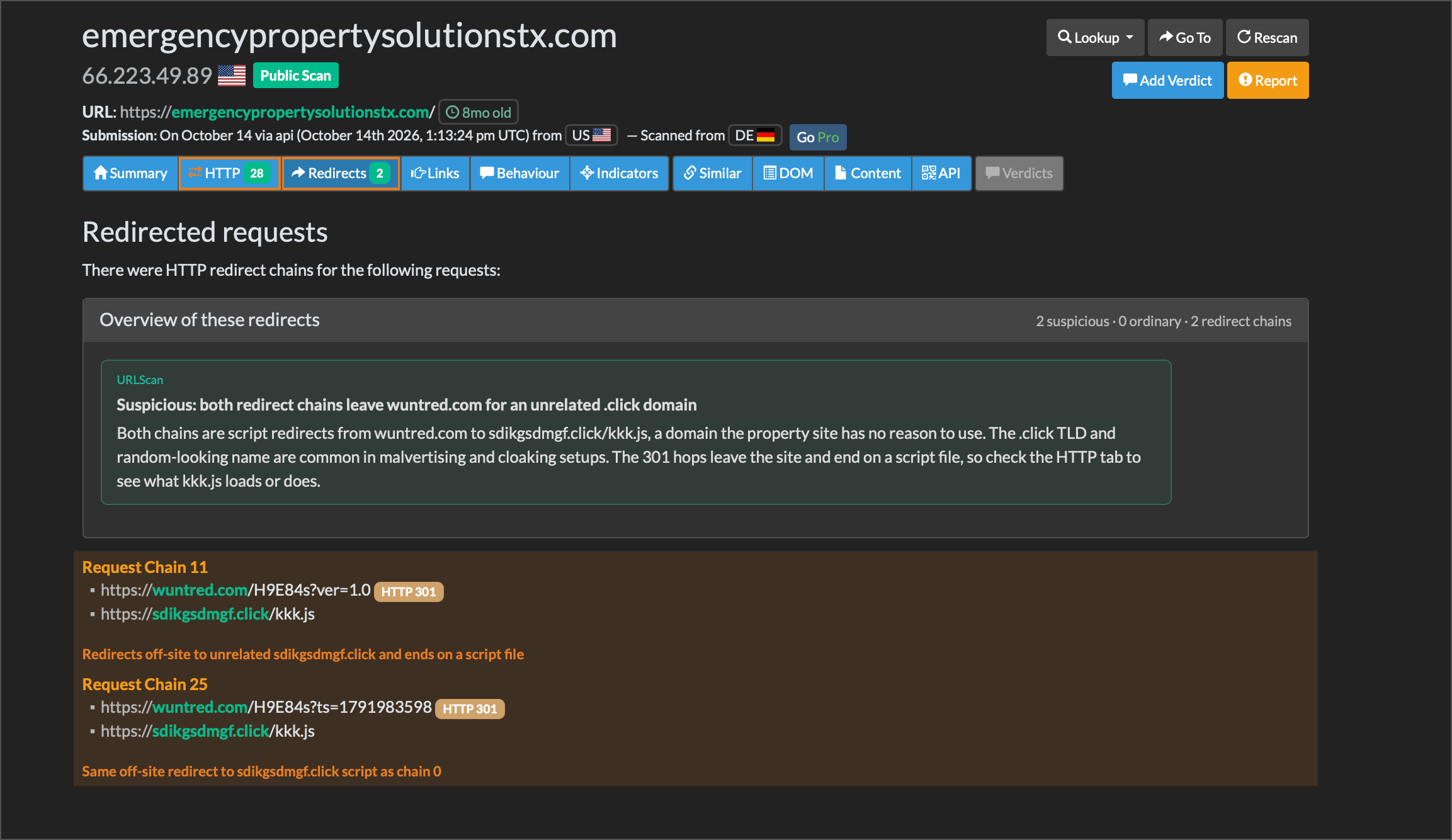
The same concept of automated summary was applied to other tabs as well. Where data is pre-processed upon tab load by a local LLM, and a summary loaded into the page.
LLM's are perfectly capable of analysing visual elements (screenshots etc) as well. So there were experiments with having screenshots sent to the local LLM for processing and commentary.
This largely worked fairly well, and added significant useful context that could be used into other summaries. Though there were issues with speed (visual analysis being pretty slow, especially for multiple screenshots) that led to this being largely left out of the other features and pushed to the side.
For now, the visual analysis feature was left as something to trigger only on hover, where a user is specifically looking for an analysis and is likely more willing to wait 20-30 seconds for a response.
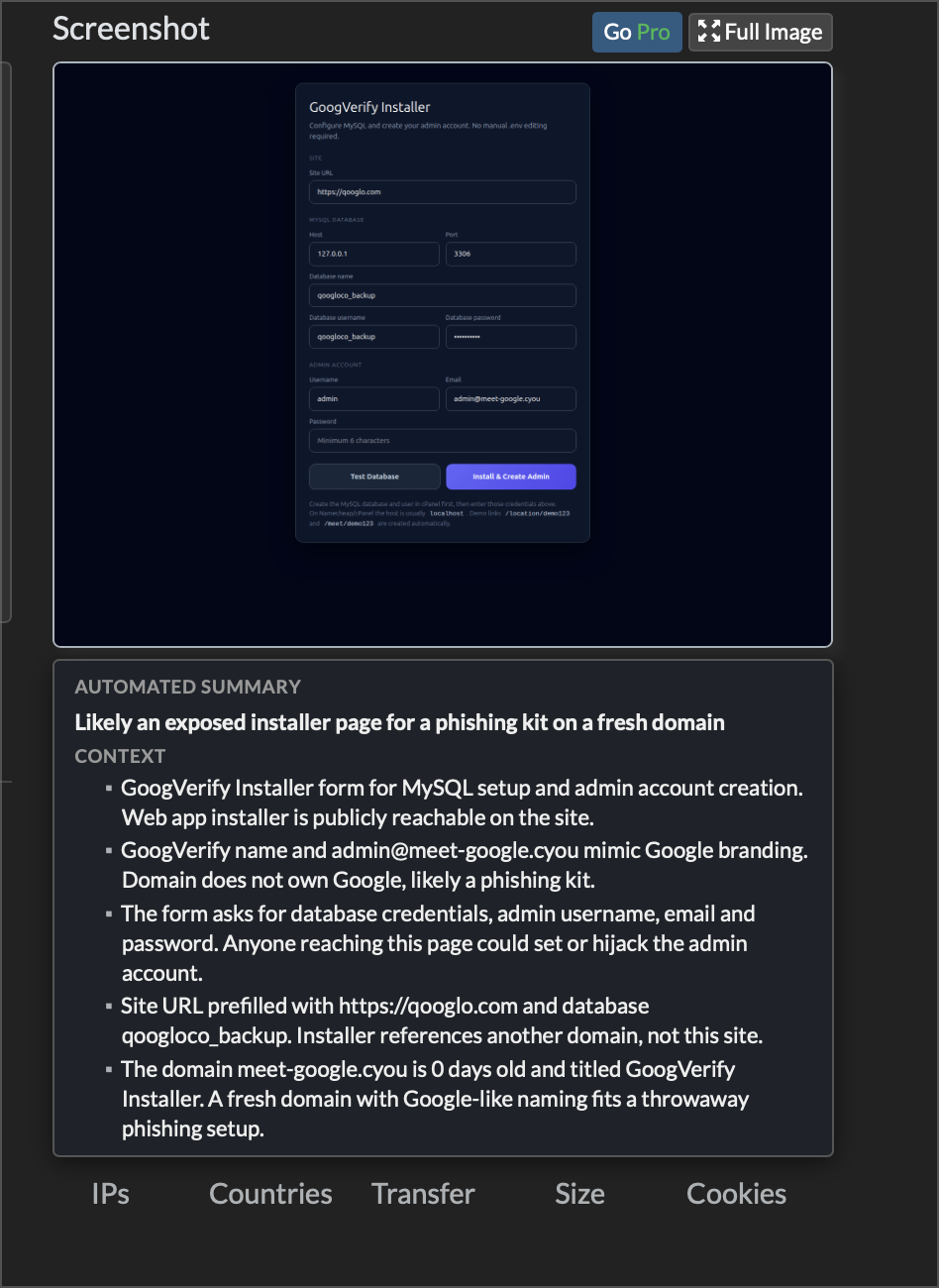
There was also some experimentation with a "deep review" feature that took all context (including visual processing) into account to generate a more accurate summary, though I never ended up fully completing that. The concept worked though and will be something to explore later.
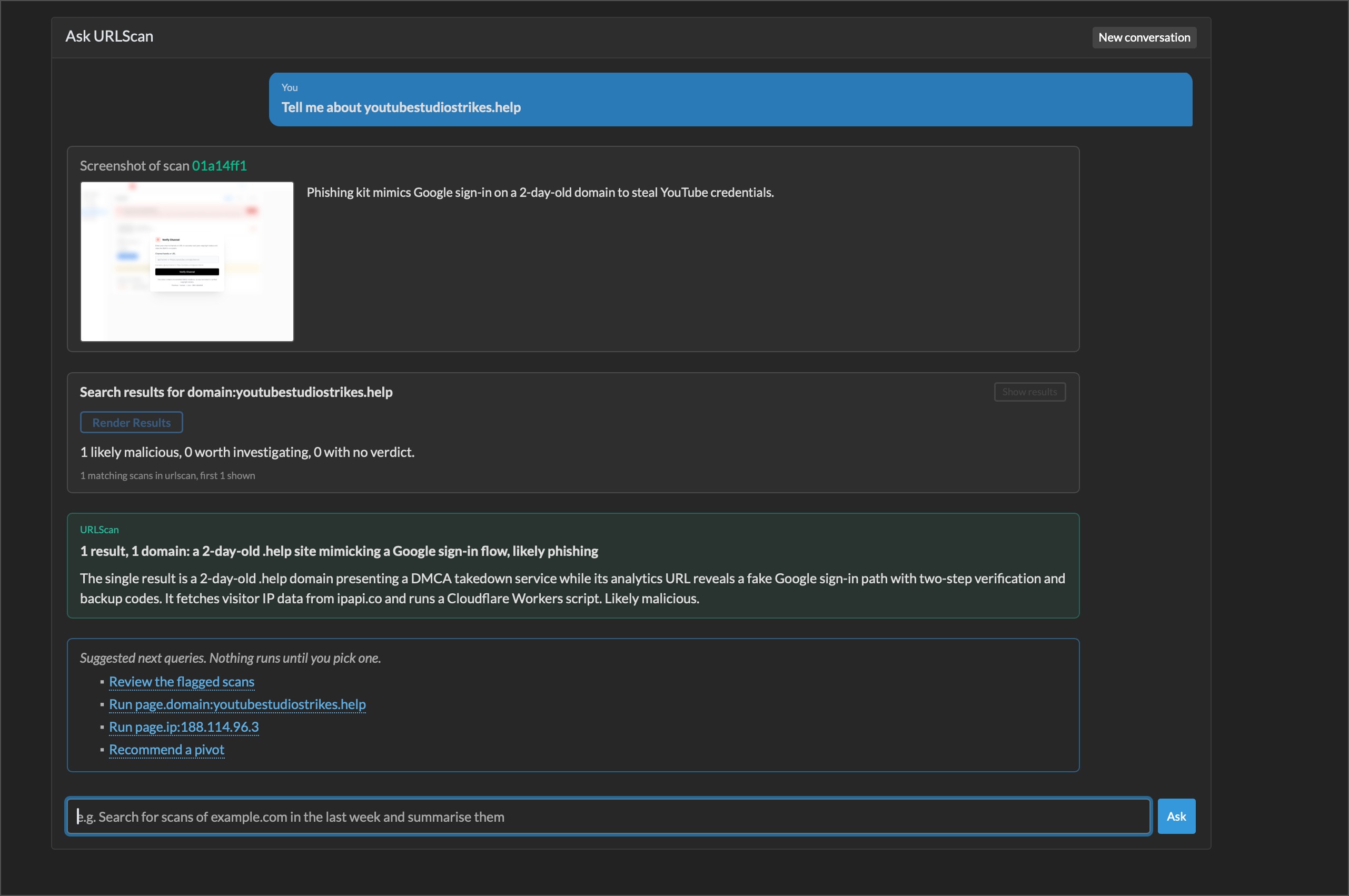
Another brief experiment was to see if a traditional UI could be replaced entirely with a chat window. Idea being that a user could simply ask the chat their questions entirely in natural language, and the chat/LLM would interpret it, send it to the correct mcp/api, and then process the results.
This one was more difficult, as there is no existing harness that perfectly fits this need, and new one had to be built out from existing harness frameworks.
Some basic prototypes were added as a separate "chat" tab in the local setup. Work here is very much still an early work in progress.
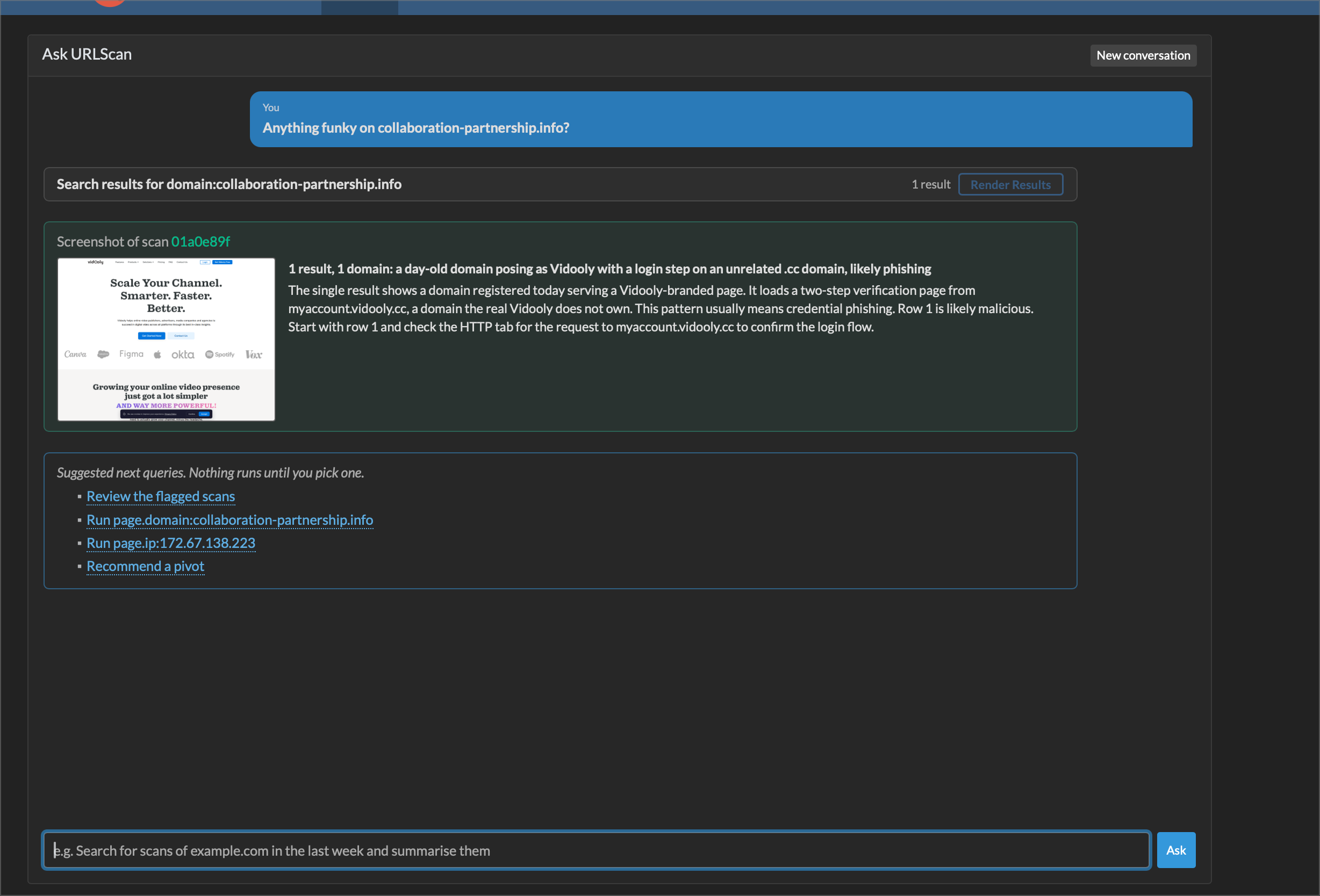
There were some interesting hurdles trying to build this out.